A retail guard watches thirty screens. A campus control room has two operators for two hundred cameras. A police checkpoint sees thousands of faces an hour. In each case the camera records everything and flags nothing. Face recognition changes that: the cameras start telling people what matters, while it is happening.
Why is face recognition on CCTV usually so hard to buy?
Two things get in the way. The first is hardware: many systems need GPU servers, new cameras or a data centre, which turns a pilot into a capital project. The second is trust: buyers are asked to accept accuracy claims they cannot check, and to send video to someone else's cloud.
FaceTagr was designed around the opposite approach. Keep processing at the edge, use the cameras that are already on the wall, and publish accuracy that comes from an independent benchmark.
Does it work with the cameras we already have?
Yes. FaceTagr connects to existing CCTV through a standard video stream, so you do not rip and replace cameras, and it is not tied to one camera brand. The NBOX is a dedicated edge hardware-software unit that sits on your network next to the cameras.
Camera quality still matters. A face needs to be large enough, sharp enough and reasonably lit. Entrances, turnstiles, reception desks and choke points work best, and a short site survey tells you which of your existing cameras are already good enough.
How lean is the hardware?
FaceTagr's engine is designed to run on modest edge hardware, without the GPU servers some alternatives need. In practice that means you scale by adding cameras and NBOX units rather than by building a server room, and sites with poor connectivity or no spare rack space can still run it. Contact us with your camera count and we will size it for you.
How accurate is it?
The accuracy comes from our own face engine, not a third-party API, and it has been benchmarked by NIST: 99.71% found at first rank among 12 million identities (NIST FRTE 1:N), and up to 99.91% match rate in NIST FRTE 1:N testing. It has since been refined on several million real-world recognitions.
The engine has run on a wide range of skin tones, lighting conditions and camera qualities across India, the Middle East, Africa and Australia, including field use in the Bihar state elections.
As with every system, live CCTV is harder than a selfie: distance, angle and motion reduce accuracy. For decisions that affect a person, an alert should prompt a trained human to look and confirm.
Can it alert when a known person arrives and when an unknown person arrives?
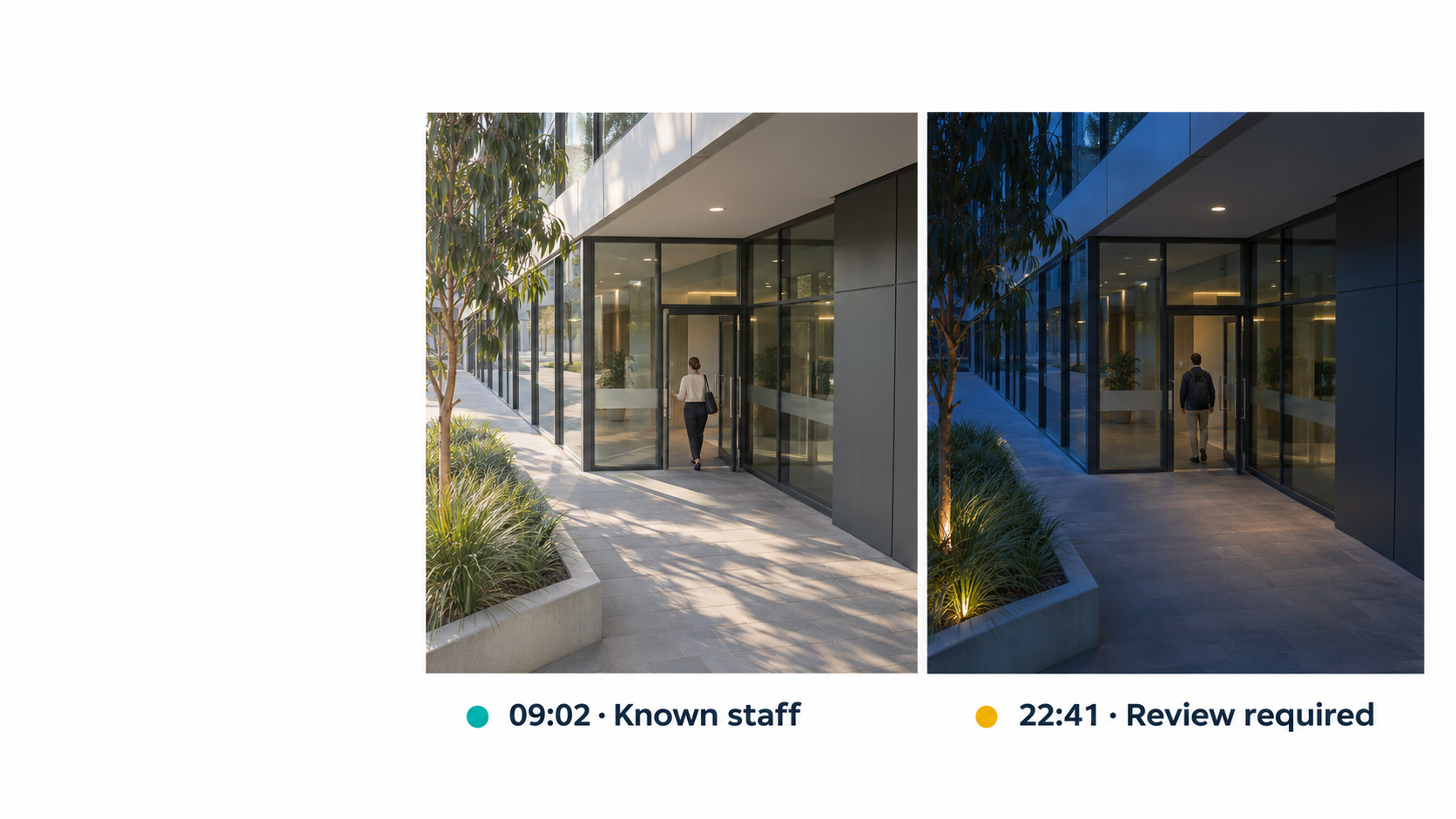
Yes, and this is the part most systems get wrong. Different sites need opposite logic. FaceTagr lets you choose per camera, per zone and per time of day.
| Scenario | Alert fires when | Typical use |
|---|---|---|
| Watchlist (blacklist) | A person in the database appears | Barred visitors, known offenders, former employees, persons of interest |
| VIP arrival | A person in the database appears | Welcoming a VIP or key customer, notifying the account manager |
| Staff-only area | A person not in the database appears | An unknown face at a staff door, server room or stockroom |
| After hours | Anyone not in the database appears | A site that should be empty at night |
| Authorised-only entry | A person not in the whitelist reaches a gate | Contractor zones, restricted floors, exam halls |
| Known person, wrong place | A person in the database appears in a zone they should not be | A contractor on a floor they have no access to |
So the same engine does both jobs: it tells you when someone you are looking for shows up, and when someone you do not recognise shows up where only recognised people should be.
How does the FaceTagr ecosystem work?
The system is more than a face matcher. It is an alert ecosystem, and here is the path an event takes.
- Enrol: load the people you care about, from photos and a reference ID. Each photo becomes an encrypted template, and the original image is deleted.
- Watch: the NBOX reads your existing camera streams, detects faces and checks them against the database on site, in real time.
- Decide: your rules decide whether this match, or this non-match, is worth an alert, based on who, where and when. Rules can also include person and object detection, such as a lone person at night, sudden crowding or an abandoned bag. With NotionTag IQ, you can describe a scenario in plain language.
- Alert: when connected, the alert reaches a configurable dashboard and the FaceTagr iOS and Android app, with a snapshot, alert type, location and details. SMS is also available. Different rules can go to different people.
- Act or integrate: a person verifies and responds. FaceTagr also integrates with gate systems such as Dormakaba and Magnetic Access, and with HR and payroll platforms, so a recognition can open a gate or mark attendance.
- Review: events and results are stored for reporting and audit, with central management across sites.
Does it need the cloud?
No. Recognition runs on the edge unit, so it keeps working when the network is down and video does not have to leave the site. It can run on-premises, even air-gapped, as in our Indian Army deployment. If you do want cloud features, FaceTagr can be hosted on AWS, Azure, any server or in-country, for example in Dubai.
What are the best use cases?
- Airports and transport: watchlist and VIP alerts at entrances and gates
- Retail, hospitality and entertainment: repeat offenders and high-value customers
- Corporate campuses and factories: unknown faces in restricted zones and attendance from the same cameras
- Education: authorised pick-up and campus access
- Government and defence: offline, on-premises recognition
- Events: temporary multi-camera setups with remote monitoring
What about privacy and the law?
Live face recognition is regulated differently in each country, and restricted in some places. GDPR and local law apply in Europe and the UK, BIPA in Illinois, the Privacy Act in Australia, the UAE PDPL and the DPDP Act in India. Before you go live, set a lawful purpose, give clear notice, limit who can see alerts, set retention periods and take legal advice. Edge processing helps because less data leaves the site, but it does not replace your own compliance work.
How much does it cost?
FaceTagr is priced for the number of cameras and sites you cover, with no server room and no per-check cloud fees. NBOX is starting from ₹5 Lakhs (~$6,000 USD). Contact us for a quote.
How do I get started?
Start with the entrances that matter most. Pick three to five existing cameras, define one or two alert rules (one "known person" rule and one "unknown person" rule), run for a month and review the alerts with your security team. Then expand.
The takeaway
You do not need new cameras, a data centre or a leap of faith. You need the cameras you have, a lean edge unit, an engine that has been independently benchmarked and alert rules that match your site. Want a site assessment or a pilot? Use the enquiry form below.