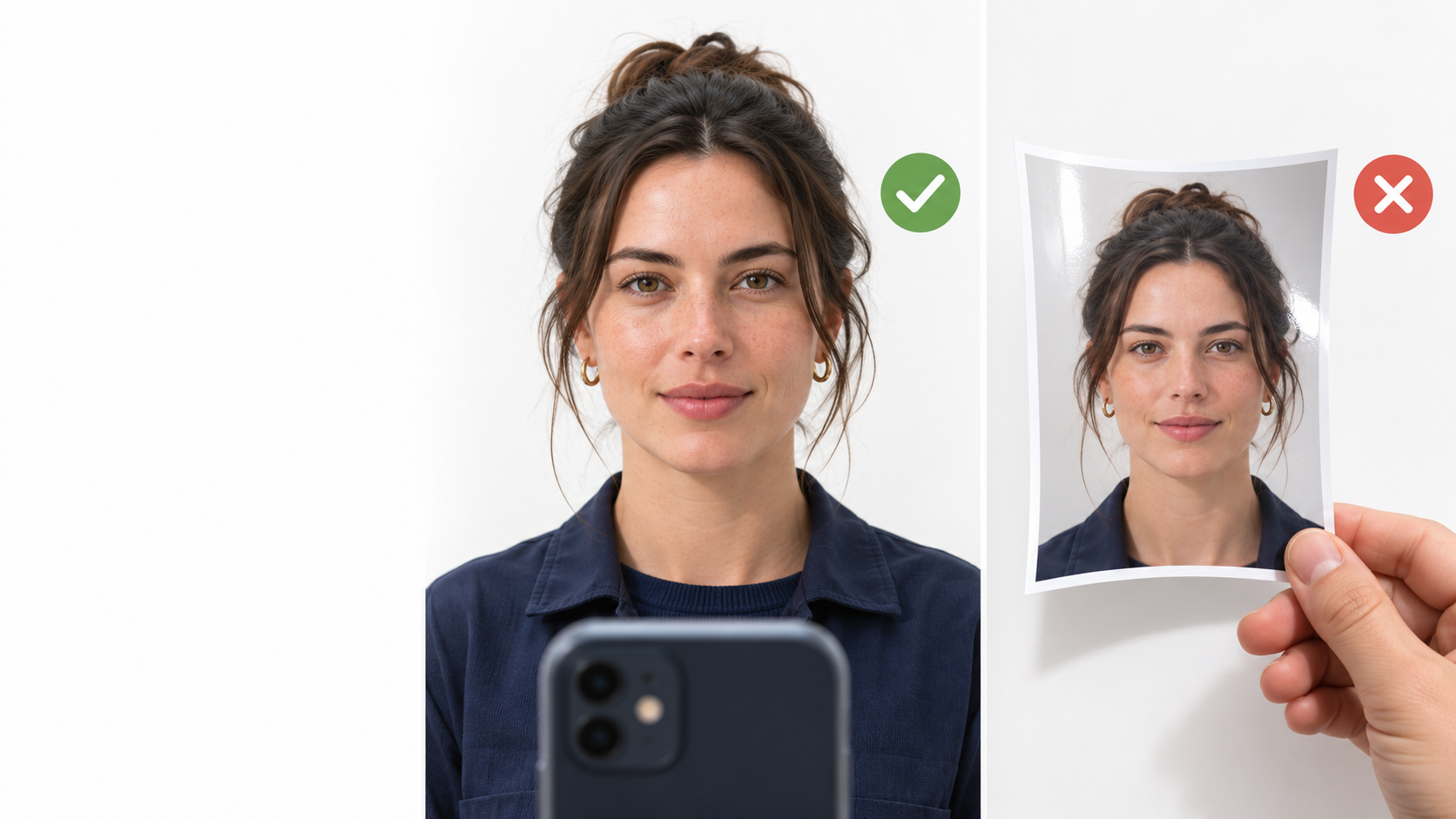
A face match tells you whose face it is. Liveness tells you whether that face is really there. Without it, a printed photo or a phone screen can pass as an employee, a candidate or a customer.
What is liveness detection in face recognition?
Liveness detection (also called presentation attack detection) is the check that separates a real, present person from a spoof. Spoofs include printed photos, images or videos on a screen and masks. A face recognition system without it can be fooled by anyone holding the right picture.
What is the difference between active and passive liveness?
Active liveness asks the person to do something: blink, smile, turn their head or read digits aloud. Passive liveness needs no action. The system analyses the captured image or video for signs of a real face, such as depth cues, texture and reflections, while the person simply looks at the camera.
| Active liveness | Passive liveness | |
|---|---|---|
| User action needed | Yes (blink, turn, speak) | No |
| Time per check | Several seconds | Under 1 second as part of the match |
| Works for children, older users, busy queues | Often awkward | Yes |
| Easy to coach someone to defeat | Easier | Harder |
Why does passive liveness matter for attendance and exams?
In attendance, spoofing is a route to proxy clock-ins. In exams, it is a route to impersonation. In both, speed matters: a check that takes ten seconds gets skipped when a queue builds. Passive liveness keeps the secure check as quick as the insecure one.
Can passive liveness run on the device?
Yes. In FaceTagr's SDK, liveness runs on-device together with detection and matching, in the same pass. It needs no internet connection and no images are sent to a server. Minimum device: Android 10 or later and 3 GB RAM.
Does liveness work in poor lighting and on all skin tones?
It must. Real deployments mean factory floors, outdoor gates, dim classrooms and low-cost cameras. FaceTagr's engine is our own and has been used across skin tones, lighting conditions and camera quality in India, the Middle East, Africa and Australia. Test any liveness feature with your own users before you commit, and ask the vendor for results in your conditions.
How do I evaluate a liveness feature?
- Ask whether it is passive, active or both, and whether it runs on the device.
- Ask what attacks it was tested against (printed photos, screen replays, masks).
- Test it yourself with a printed photo and a phone screen at your own site.
- Check the effect on speed, because liveness that slows every check will be bypassed.
- Ask how often the model is updated.
Is liveness the same as face matching accuracy?
No. Matching accuracy is how well the system tells people apart, and FaceTagr's algorithms are NIST FRTE tested: 99.71% found at first rank among 12 million identities (NIST FRTE 1:N). Liveness is a separate layer that decides whether to trust the capture at all. You need both.
How much does liveness add to the cost?
Nothing extra. The FaceTagr SDK is from $3 per user per year. Liveness included. No per-check fees. Contact us for a quote at your volume.
The takeaway
If your use case matters enough to verify a face, it matters enough to verify that the face is live. Choose passive liveness that runs on-device, test it with a printed photo, and make sure it doesn't slow the queue. Want to try it? Use the enquiry form below to request a demo or SDK sandbox access.